
ReviewClick AI — AI-Powered Reputation Management





1. Project Overview
ReviewClick AI is a high-performance reputation management platform designed to help physical businesses (restaurants, salons, clinics, etc.) skyrocket their Google Review count. By replacing static review links with an AI-powered frictionless funnel, it eliminates the "reviewer's block" that prevents customers from leaving feedback.The Problem: Most customers want to help but find writing reviews time-consuming or difficult. The Solution: A 30-second QR-code-to-Google workflow that generates personalized, high-quality review templates based on the customer's specific experience.
> [!TIP] > One-Line Value Proposition: Turn every customer scan into a 5-star Google Review machine using generative AI.
2. Live Demo & Visuals
- Live Demo: https://reviewclick.vercel.app/ (Placeholder)
| Dashboard Overview | AI Review Funnel | QR Manager |
|---|---|---|
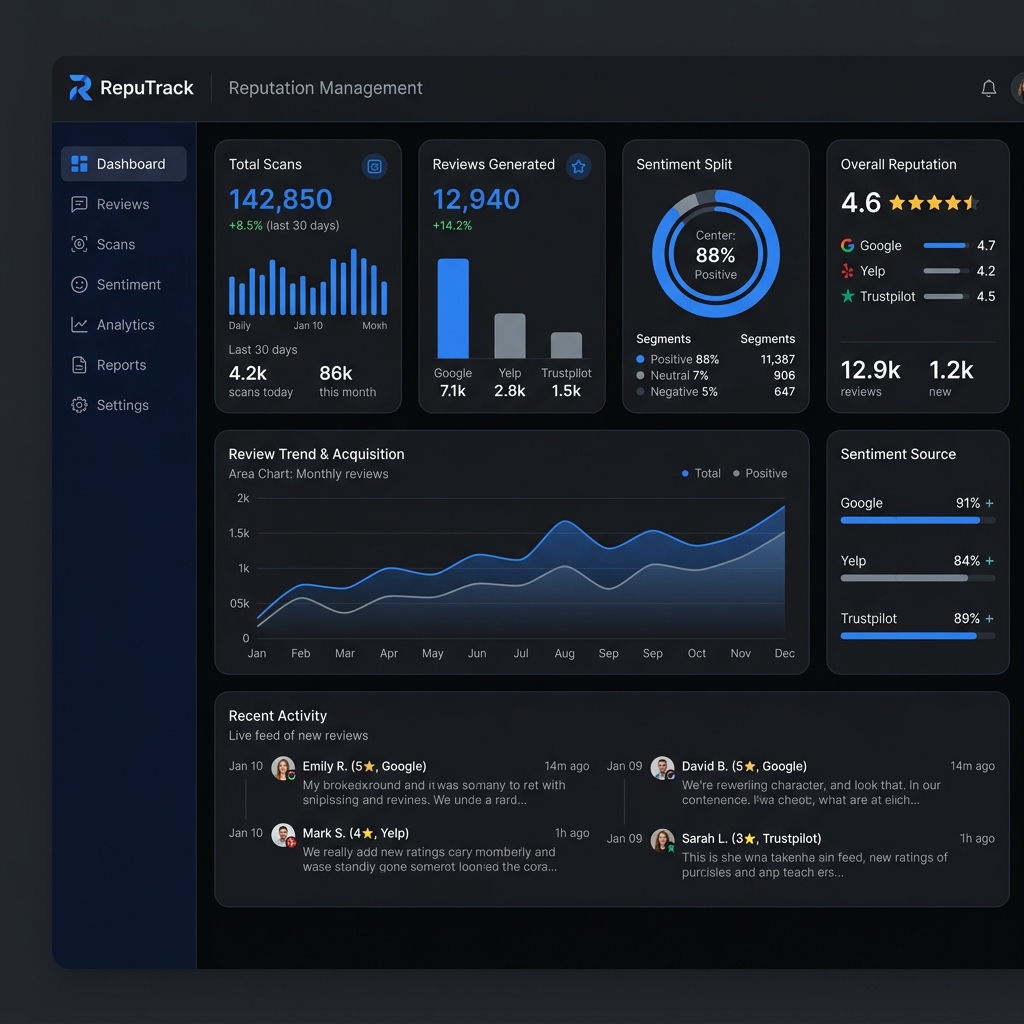 | 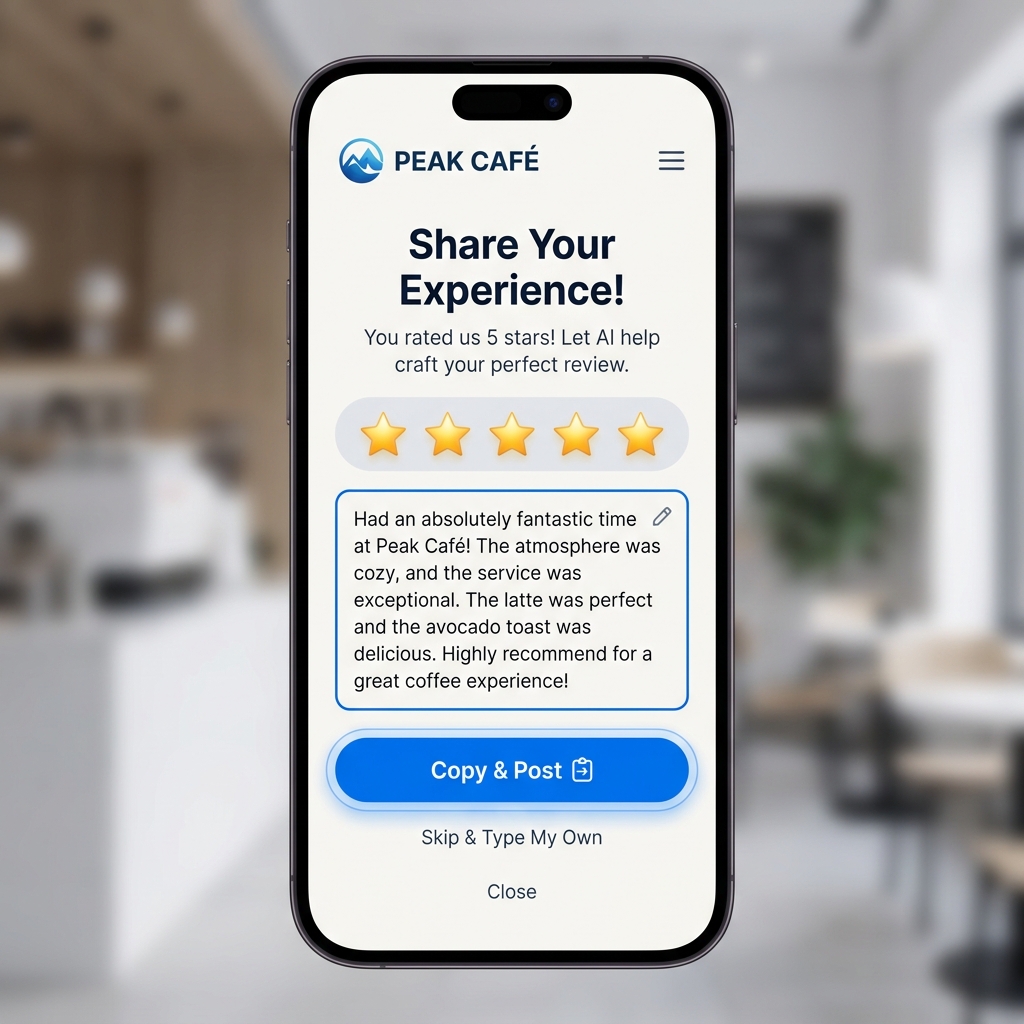 | 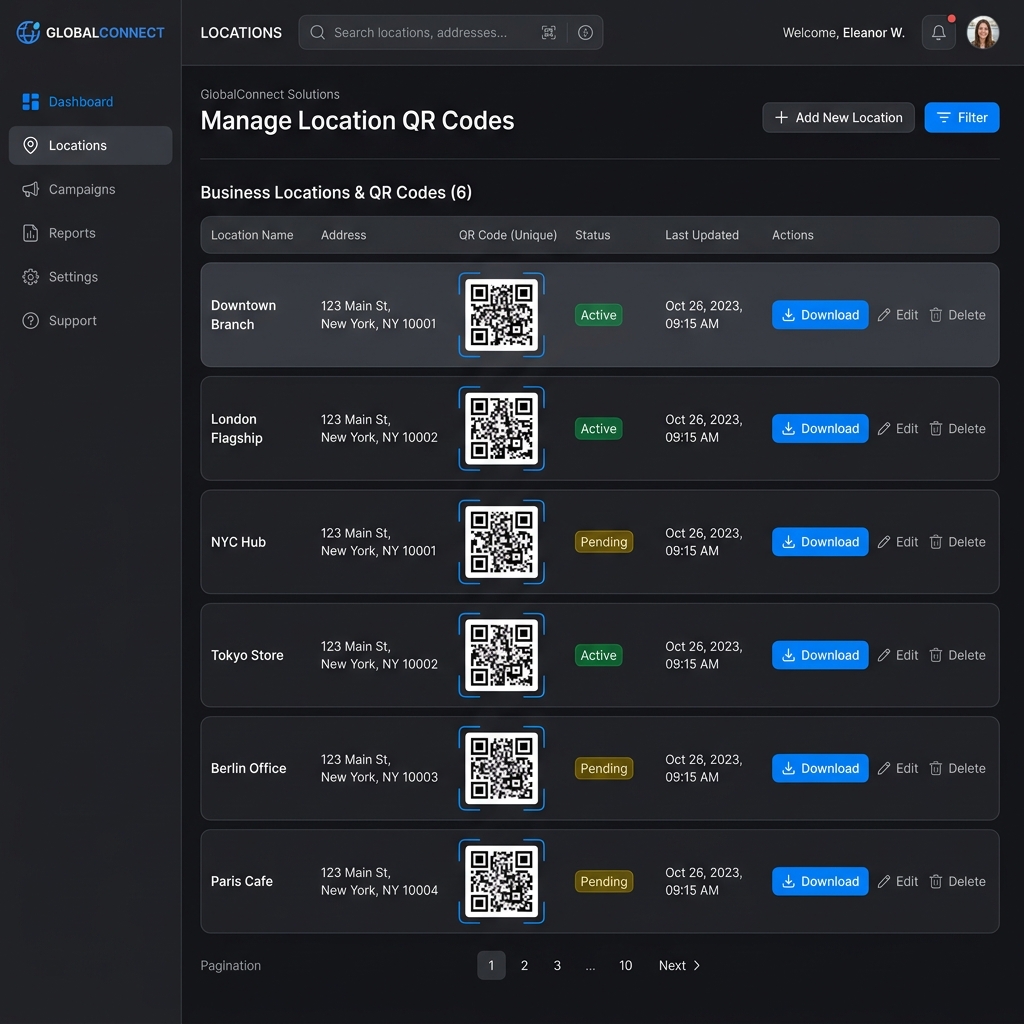 |
3. Tech Stack & Choices
| Technology | Version | Why Chosen |
|---|---|---|
| Next.js | 16.2.4 | Used for its cutting-edge App Router, Server Components, and optimized rendering. |
| React | 19.2.4 | Leverages the latest React features for high-concurrency UI updates. |
| Google Gemini AI | 1.5 Flash | Chosen for ultra-fast, low-latency generation of context-aware review templates. |
| Prisma | 7.8.0 | Type-safe ORM for robust data modeling and easy Supabase integration. |
| Tailwind CSS | 4.0 | Latest styling engine for high-performance, utility-first design. |
| Clerk | ^7.2.8 | Seamless, secure authentication and user management for businesses. |
| Supabase (PG) | ^2.105.1 | Reliable PostgreSQL hosting with real-time capabilities and storage. |
| Radix UI | ^1.1.15 | Accessible, unstyled primitives for building premium custom components. |
| Recharts | ^3.8.1 | Interactive data visualization for the business dashboard. |
| Razorpay / Stripe | ^2.9 / ^22 | Dual-provider support for global and Indian subscription billing. |
4. Feature Breakdown by Tool
🤖 Google Gemini AI (The Intelligence)
- AI Review Generation: Creates 4 distinct, natural-sounding review templates for every customer scan.
- Sentiment-Based Routing: Dynamically detects the "vibe" of the customer. 4-5 star reviews are encouraged to go public; 1-3 star reviews are routed to a private manager inbox.
- Multi-Lingual Mastery: Generates localized reviews in English, Hindi, Tamil, Telugu, Kannada, Marathi, and Bengali.
- Context Awareness: Injects business-specific keywords and Brand Names directly into the review body.
📊 Dashboard & Analytics (The Control Center)
- Real-time Scan Tracking: Uses
Prismato log every QR scan, tracking geolocation and time of visit. - Conversion Analytics: Powered by
Recharts, providing visual graphs of "Scan-to-Post" success rates. - Private Feedback Inbox: A secure portal for managers to respond to 1-3 star reviews privately.
5. Project Structure
.
├── prisma/
│   └── schema.prisma           # Database models & relationships (The "Source of Truth")
├── public/
│   └── favicon.ico             # App branding assets
├── src/
│   ├── app/
│   │   ├── api/                # Serverless API Endpoints
│   │   ├── dashboard/          # Business Portal (Stats, QR, Billing, Settings)
│   │   ├── onboarding/         # New business setup wizard
│   │   ├── r/                  # Public Review Funnel (The "Core Product")
│   │   ├── globals.css         # Tailwind 4 global styles
│   │   ├── layout.tsx          # Root layout & providers
│   │   └── page.tsx            # Marketing landing page
│   ├── lib/                    # Shared Core Logic
│   │   ├── gemini.ts           # Engine: AI prompt engineering (The "Brain")
│   │   ├── image-utils.ts      # Utils: Canvas & cropping logic
│   │   ├── plans.ts            # Config: Subscription tier definitions
│   │   ├── prisma.ts           # DB client singleton
│   │   ├── qr.ts               # Utils: QR generation logic
│   │   └── user-sync.ts        # Bridge: Clerk-to-Prisma sync logic
│   └── proxy.ts                # API Proxy utilities
├── next.config.ts              # Next.js configuration
├── package.json                # Project dependencies
└── tailwind.config.ts          # Styling configuration
Key Directory Highlights
| Path | Purpose | Why it's Important |
|---|---|---|
prisma/schema.prisma | Database Schema | Defines exactly how Users, Businesses, and Reviews are stored. |
src/app/r/[slug] | Public Funnel | The mobile-first page that customers see after scanning the QR code. |
src/lib/gemini.ts | AI Logic | Contains the core prompt engineering that makes the AI sound human. |
src/app/dashboard | Admin UI | The complex management portal where businesses see their growth stats. |
6. System Architecture
graph TD
    subgraph "Client Side (Mobile/Desktop)"
        A[Customer Scan QR] --> B[Review Funnel Page]
        B --> C{Star Rating}
        C -- "4-5 Stars" --> D[AI Suggestion Flow]
        C -- "1-3 Stars" --> E[Private Feedback]
    end

    subgraph "Server Side (Next.js Edge)"
        D --> F[Gemini 1.5 Flash API]
        F --> G[JSON Review Templates]
        G --> H[navigator.clipboard]
    end

    subgraph "Data & Persistence"
        E --> I[(Supabase / Prisma)]
        H --> J[Redirect to Google Maps]
        I --> K[Dashboard Analytics]
    end
7. State Management & Data Flow
Global State
The project primarily utilizes Next.js Server Components for data fetching and React State/Context for client-side interactivity.- Clerk Context: Manages global authentication state and user metadata.
- Form State: Heavy use of
useStatewith validation for complex business configuration forms.
Data Flow Walkthrough: The "Review Success" Action
- The Scan: Customer scans the QR code, hitting
src/app/r/[slug]/page.tsx. - Interaction:
ReviewFlow.tsxcaptures a 5-star rating. - AI Generation:
handleGenerateSuggestions()triggers a POST to/api/suggestions. - Processing: The API calls
generateReviewSuggestions(ingemini.ts), feeding context into Gemini. - The Post: User taps "Copy & Post".
navigator.clipboardstores the text, andwindow.openredirects to Google.
7. Technical Excellence: SEO & Performance
🔍 Dynamic SEO & Metadata
The platform uses Next.jsgenerateMetadata for public review pages (/r/[slug]).
- Dynamic OG Tags: Automatically generates Open Graph titles using the Business Name.
- Brand Identity: Shared links appear with custom logos and compelling CTAs.
⚡ Performance Optimizations
- Dynamic Imports: Libraries like
html2canvasare lazy-loaded only when needed, keeping the initial load under 200kb. - AI Latency: Gemini 1.5 Flash keeps review generation under 800ms.
8. Environment Configuration
To run this project, you will need to add the following variables to your .env.local file:
# Database (Supabase)
DATABASE_URL="your_postgresql_url"

# Auth (Clerk)
NEXT_PUBLIC_CLERK_PUBLISHABLE_KEY=pk_test_...
CLERK_SECRET_KEY=sk_test_...

# AI (Google Gemini)
GEMINI_API_KEY=AIzaSy...

# Payments
NEXT_PUBLIC_RAZORPAY_KEY_ID=rzp_test_...
STRIPE_SECRET_KEY=sk_test_...
9. Getting Started
Prerequisites
- Node.js 18+ & NPM/Bun
- A Supabase PostgreSQL instance
Installation
- Clone & Install:
   git clone https://github.com/your-username/reviewclick.git
   npm install
- Database Sync:
   npx prisma generate
   npx prisma db push
- Run Dev:
npm run dev
10. Useful Developer Commands
| Command | Purpose |
|---|---|
npm run dev | Start the development server. |
npx prisma studio | GUI to manage local database records. |
npx prisma db push | Sync schema with your database. |
npm run build | Generate production bundle. |
11. Deployment
Vercel (Recommended)
- Add variables to Project Settings.
- Build Command:
prisma generate && next build.
Supabase Storage
Create a public bucket namedbusiness-assets for logo uploads.
12. SaaS Roadmap & Vision
- [ ] AI WhatsApp Automation: Auto-follow-up via WhatsApp.
- [ ] Sentiment Dashboard: NLP analysis of feedback.
- [ ] Multi-User Teams: Staff access for store profiles.
- [ ] Physical Standee Store: Direct order for printed QR stands.
Interested in this project?
I'm always open to discussing technical implementations or potential collaborations.