📝 Markdown Studio





1. Project Overview
📝 Markdown Studio
Value Proposition: Write locally, preview instantly, and export seamlessly without ever losing your formatting or data.2. Live Demo & Visuals
📝 Markdown Studio
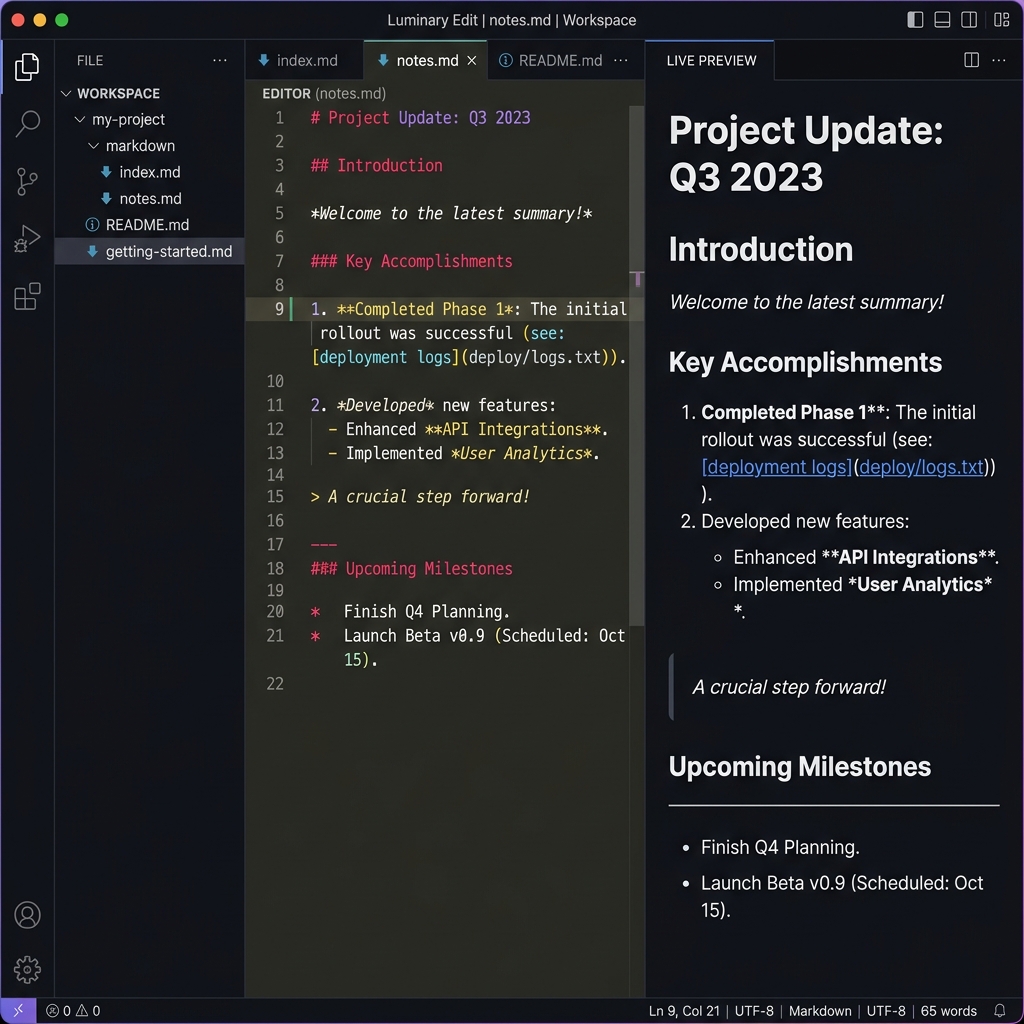
Screenshots
3. Tech Stack & Choices
| Category | Technology | Version | Why Chosen |
|---|---|---|---|
| Core | React.js | ^19.2.4 | Component-based UI formulation, and seamless DOM state synchronization using Hooks (useState, useRef). |
| Parsing | Marked | ^17.0.2 | Lightning-fast Markdown-to-HTML parser configured for GitHub Flavored Markdown format out of the box. |
| Styling | Vanilla CSS | N/A | Chosen for maximum performance. Full structural control over the split-pane flexbox layout and CSS variables without overhead. |
| State Management | React Hooks / LocalStorage | N/A | useState efficiently handles content edits, while Native HTML5 LocalStorage handles rapid client-side persistence without external DB needs. |
| Syntax Highlighting | PrismJS | ^1.30.0 | Exact, beautiful tokenization for technical code blocks utilizing the elegant prism-tomorrow theme. |
| Security | DOMPurify | ^3.3.1 | Battle-tested XSS Sanitization library vital for stripping potentially malicious scripts embedded in raw markdown HTML before React injection. |
| Storage & APIs | FileSaver.js | ^2.0.5 | Handles robustly saving temporary blobs to the local filesystem across a wide variety of browsers. |
| Storage & APIs | html-docx-js | ^0.3.1 | Cleanly converts HTML output to Microsoft Word .docx documents right from the browser. |
| Dev Tools | Create React App | 5.0.1 | Standard, boilerplate-free bundling environment for scaling React single-page applications. |
4. Core Features & Tools Breakdown
📝 Markdown Studio
Editor & Formatting Tools
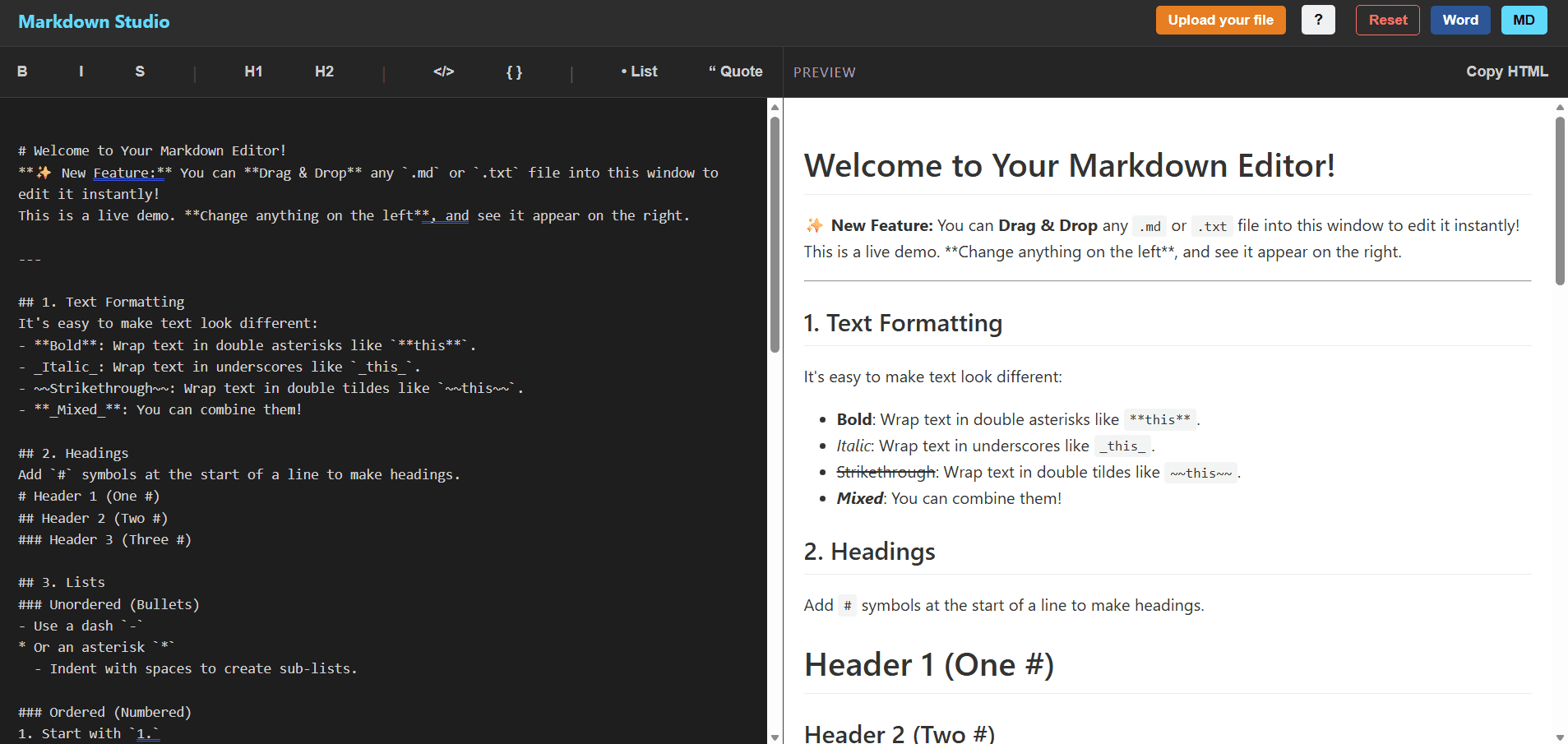
- Split-Pane Live Preview: Type Markdown on the left pane and watch the right pane dynamically render sanitized, fully styled HTML on every keystroke. â
- Quick Formatting Toolbar: A built-in toolbar right above the editor that inserts specific markdown elements directly at your cursor location. It includes:
* for bold formatting.
- I (Italic): Wraps selected text or inserts ~~ to strike out text.
- H1 & H2: Quick buttons to inject primary # and secondary ## headers.
- </> (Inline Code): Injects backticks ` ` for writing inline code snippets.
- { } (Code Block): Wraps multi-line code with triple backticks
` for larger blocks of code.
- **• List:** Injects a `-` to start an unordered bulleted list.
- **“ Quote:** Injects a `>` to begin a blockquote.
- **Synchronized Scrolling:** A calculation hook that ensures when you scroll the editor pane, the preview pane scrolls at the exact relative percentage, keeping your context aligned seamlessly. â
### File Management & Export Tools
- **Upload File (File Picker):** An orange `Upload your file` button in the header that opens your system file browser to select and instantly inject any local `.md` or `.txt` file into the editor.
- **Drag & Drop Upload:** Seamlessly drag a `.md` or `.txt` file from your desktop anywhere onto the editor pane. A visual "Drop Markdown file here" overlay appears, and dropping the file parses and inputs it securely via HTML5 APIs. â
- **MD Download Button:** A blue `MD` button in the header that takes your current raw markdown text, converts it to a standard `Blob`, and automatically downloads it as `readme.md`.
- **Word Document Download:** A dark blue `Word` button that processes your markdown out to HTML, maps it to a document skeleton, and triggers a `.docx` file download using `html-docx-js` (perfect for non-technical sharing).
- **Copy HTML Tool:** Located in the Preview header, this small button utilizes the Clipboard API to copy the fully compiled raw HTML markup of your document to your system clipboard for instant pasting anywhere.
- **Reset Editor Button:** A red `Reset` button in the header allowing you to clear out your workspace and revert to the default template. Includes a strict confirmation prompt to prevent accidental data erasure.
### System & UX Features
- **LocalStorage Auto-Save:** Every keystroke updates the browser's `localStorage` state running quietly in the background. If you accidentally close the tab or browser, your markdown draft is safely restored upon returning.
- **Interactive Cheat Sheet:** Clicking the `?` icon in the navigation opens an animated, dark-mode modal containing a comprehensive Markdown syntax guide (basic formatting, links, images, tables).
- **DOMPurify Security Sandboxing:** A background security feature where all parsed markdown HTML is aggressively filtered before rendering, completely preventing any XSS (Cross-Site Scripting) vulnerabilities if you drop a malicious file.
- **PrismJS Syntax Highlighting:** A background feature that automatically tokenizes and applies beautiful color-coding to any programming languages typed within code blocks.
- **Responsive Layout Changes:** On mobile or small screens below 768px (`App.css`), the split-pane automatically snaps into a stacked vertical format, maintaining usability across mobile devices.
---
## 5. Project Structure & Core Logic
Here is the complete folder and file tree of the project. A quick description is provided for the most critical files to help any developer navigate the codebase instantly:
text markdown-editor/ ├── build/ # Production-ready compiled app (generated via 'npm run build'). ├── nodemodules/ # Downloaded NPM dependencies and external libraries. ├── public/ # Static assets (HTML shell, favicons, manifest). │ └── index.html # The single HTML page where the React app mounts. │ ├── src/ # The primary source code folder containing all React logic. │ ├── App.css # Core stylesheets: flexbox layout, dark/light pane colors, and modal animations. │ ├── App.js # 🌟 The Main Engine: Handles the entire editor logic, state storage, drag-and-drop, and document exporting. │ ├── App.test.js # Basic fallback tests for component rendering. │ ├── HelpModal.js # The React component responsible for the slide-out Markdown Cheat Sheet overlay. │ ├── defaultMarkdown.js # Contains the large string of text that forms the default tutorial document on your first visit. │ ├── index.css # Base reset styles and CSS variables. │ ├── index.js # Application entry point: hooks App.js into public/index.html. │ ├── logo.svg # React logo asset. │ ├── reportWebVitals.js # Built-in performance and web-vitals measuring tool. │ └── setupTests.js # Jest DOM test initialization. │ ├── .gitignore # Tells Git which files/folders (like node_modules) to ignore during commits. ├── package-lock.json # Freezes exact version numbers of your dependencies. ├── package.json # Project configuration listing dependencies (marked, prismjs, react) and npm scripts. └── README.md # Detailed documentation mapping out the project (this file).
---

## 6. State Management & Data Flow

### Global Data Stores
State is managed locally at the top level of the component tree in `App.js`.
- The primary state `content` (`useState`) holds the single source of truth: the raw, unparsed markdown string for the entire application.
- The browser Native `localStorage` serves as a persistent replica, seeded lazily via the `useState` initialization method.
- Component elements rely on multiple `useRef` calls (`textAreaRef`, `previewRef`, `fileInputRef`) to access exact DOM positions without triggering additional React render lifecycles.

### Data Flow Walkthrough (User Writes Markdown)
1. **Trigger:** The user types a character into the `<textarea id="editor">` element.
2. **Action:** The `onChange` event listener triggers the `handleChange` function, which calls `setContent(e.target.value)`.
3. **Re-render:** React recognizes the state mutation and schedules a re-render of `App.js`.
4. **Side Effects:**
   - The `useEffect` hooked to `[content]` runs immediately after rendering.
   - It silently overwrites `localStorage.setItem("markdown-content")` with the new data.
   - It runs `Prism.highlightAll()` to forcibly trigger syntax highlighting re-parsing across any newly created `<pre><code>` nodes.
5. **UI Update:** The preview section resolves the `<div dangerouslySetInnerHTML={getMarkdownText()} />` node. `getMarkdownText()` invokes `marked(content)` to compile HTML, then `DOMPurify.sanitize()` filters it, safely injecting the rendered GUI.

---

## 7. Browser APIs & Technical Highlights

### Native Browser APIs Utilized
- **`localStorage`**: Found in the `App.js` initialization hook. Ensures zero data loss by recording strings silently. Selected over IndexedDB for its simplicity with single-key flat text schemas.
- **`FileReader` APi**: Found inside `readFile()`. Asynchronously parses local system `.md` files that are dropped/picked by reading the binary via `reader.readAsText(file)` directly in memory.
- **`Drag and Drop` Event Listeners**: Found on the editor pane (`onDragOver`, `onDragLeave`, `onDrop`). Maps to the visual hook `isDragging` for UI/UX feedback and captures the payload stream at `e.dataTransfer.files[0]`.
- **`URL.createObjectURL`**: Present in `handleDownload()`. Generates an ephemeral internal browser URL referencing a localized `Blob` map for forcing immediate `.md` saves.
- **`Clipboard API`**: `navigator.clipboard.writeText(rawMarkup)` connects directly to the "Copy HTML" button, letting users siphon source HTML dynamically natively.

### Technical Integrations & Security
- **Strict Configuration with Marked:** The `marked` engine is configured on launch via `marked.setOptions({ breaks: true, gfm: true })` forcing hard line returns and full GitHub Flavored Markdown (tables, checklists) to guarantee user continuity across platforms.
- **High Security DOMPurify Sandboxing:** The editor never implicitly trusts output code. The `marked()` output string is hard-wrapped in `DOMPurify.sanitize()` right before render. This guarantees malicious `<script>` or broken UI anchors are ripped out prior to mapping `dangerouslySetInnerHTML`.
- **Deferred Highlighting lifecycle:** `Prism.highlightAll()` is securely decoupled inside a `useEffect` dependency array, guaranteeing that React has fully painted the DOM before the expensive highlight tokenizer operates.
- **Synchronized Scroll Math:** Utilizes `scrollTop` boundaries matching `scrollHeight - clientHeight` to build a math ratio `scrollPercentage`. This elegantly forces both the text editor viewport and HTML rendered viewports to stay vertically aligned, even when content heights drastically differ.

---

## 8. Local Installation & Setup

# 📝 Markdown Studio

### Prerequisites
- Make sure you have **Node.js** (v14 or higher) installed on your machine.

### Installation Steps

1. **Clone the repository:**
bash git clone https://github.com/your-username/markdown-editor.git cd markdown-editor
2. **Install all dependencies:**
bash npm install
3. **Start the development server:**
bash npm start
   *The application will automatically open in your default browser at `http://localhost:3000`.*

4. **Build for Production (Optional):**
bash npm run build `` This compiles an optimized, production-ready bundle inside the build/ folder.*
9. Future Roadmap & Potential Enhancements
📝 Markdown Studio
- Cloud Synchronization: Integrating Firebase or Supabase to sync Markdown files across different devices authenticated via Google/GitHub profiles.
- Multiple Theme Support: Expanding the CSS variable structure to allow hot-swapping between Light Mode, Dark Mode, and customized colorful themes (Solarized, Dracula, etc.).
- PDF Export: Adding a library like jspdf
to allow users to export the formatted document directly to a high-fidelity PDF, alongside the Word export option. - Tabs/Multi-file Support: Allowing users to open and switch between multiple .md
files concurrently within the same session.
10. Contributing
Contributions are what make the open-source community such an amazing place to learn, inspire, and create. Any contributions you make are greatly appreciated.
- Fork the Project
- Create your Feature Branch (git checkout -b feature/AmazingFeature
) - Commit your Changes (git commit -m 'Add some AmazingFeature'
) - Push to the Branch (git push origin feature/AmazingFeature`)
- Open a Pull Request
11. License
Distributed under the MIT License. This project is free and open-source. Feel free to use, modify, and distribute it as you see fit.
Interested in this project?
I'm always open to discussing technical implementations or potential collaborations.